
If you have ever received a file ending in .pub and found yourself unable to open it, you are not alone. Microsoft Publisher is a popular desktop publishing application, but its files are saved in a proprietary format that cannot be opened by standard web browsers, PDF readers, or word processors like Microsoft Word.
To view, print, or share these files, you need to convert them. In this ultimate guide, we will explore the best ways to convert PUB to PDF, why offline conversion is superior to online web tools, and how you can do it instantly on Windows.
What is a PUB File?
A .pub file is a document layout created by Microsoft Publisher. Unlike standard word documents which focus primarily on text flow, Publisher files focus heavily on page layout and design—such as newsletters, flyers, brochures, postcards, and banners. Because these files contain complex coordinates for text boxes, vector graphics, shapes, and high-resolution images, they require specialized software to parse and display correctly.
The Big Problem with Online PUB to PDF Converters
When searching for a way to open a Publisher file, your first instinct might be to search for a free online converter. While these web tools seem convenient, they come with significant risks and limitations:
- ⚠️ Serious Privacy Risks: When you upload a document to an online converter, you are sending your file to a remote server. If your Publisher file contains private business layouts, invoices, client information, or personal photos, you have no guarantee of where that data goes.
- 🐌 File Size Limitations: Most free web conversion tools restrict upload sizes to 5MB or 10MB. If your document has high-resolution graphics, it will fail to upload or convert.
- ❌ Layout Distortion: Online converters run on basic servers that lack standard Windows fonts. This often results in broken layouts, missing text boxes, distorted fonts, and misaligned images in the output PDF.
- ⏳ Slow Speeds & Queue Times: Web converters make you wait in queues, require email registration to download, or bombard you with intrusive ads.
The Secure Alternative: Offline PUB to PDF Converter
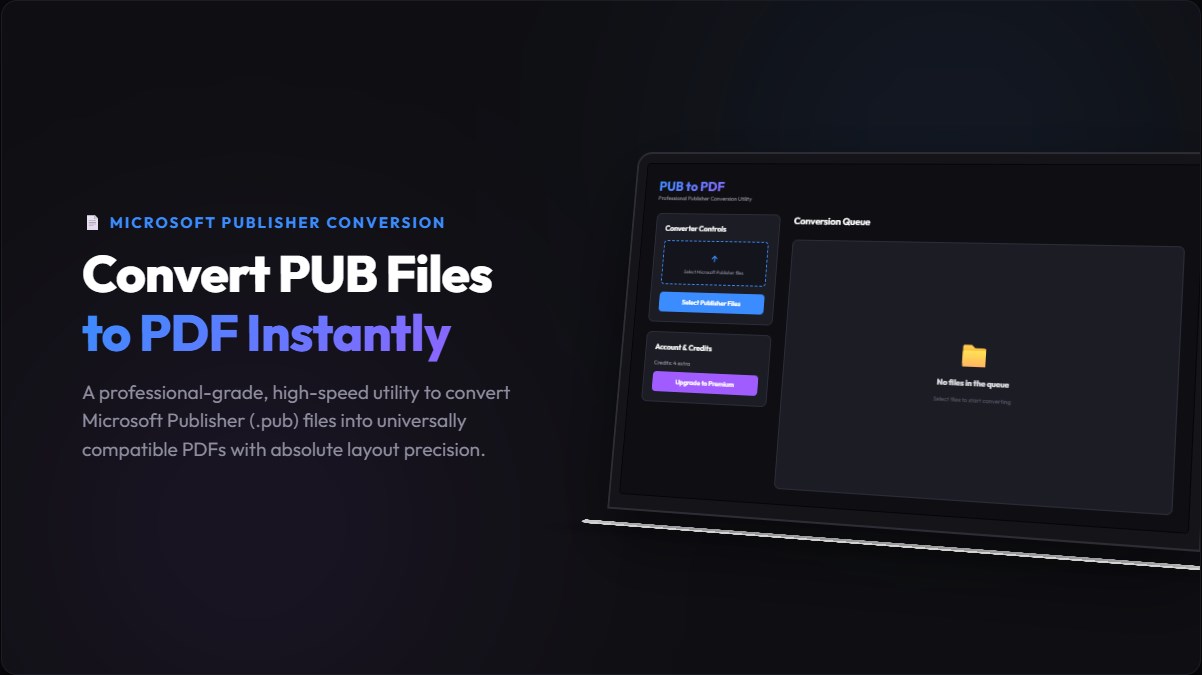
Get rid of insecure file uploads. Convert your Microsoft Publisher documents directly on your own Windows computer. Your files stay 100% private, and the conversion takes only a split second.
📥 Download PUB to PDF Converter for WindowsComparison: Online Web Converters vs. Desktop App
| Feature | Online Web Tools | Desktop App |
|---|---|---|
| Data Privacy | No (Uploaded to Server) | Yes (100% Offline) |
| Conversion Speed | Dependent on upload speed | Instant (Local CPU) |
| File Size Limit | Usually 5MB - 10MB limit | Unlimited |
| Internet Required | Always Yes | No (Works Offline) |
How to Convert PUB to PDF in 3 Simple Steps
Using our desktop application to handle your Publisher files is extremely straightforward. No technical knowledge is required:
- Open the Converter: Open the app on your Windows desktop. You will be greeted with a clean, drag-and-drop workspace.
- Load Your Publisher File: Drag your
.pubfile directly into the application window, or use the "Browse" button to locate it on your hard drive. - Start the Conversion: Click "Convert to PDF." Choose your output folder, and the application will instantly output a high-fidelity PDF ready for distribution.
Advanced Features of Our Desktop App
Our tool isn't just a basic converter. It is designed to save you time and preserve the professional look of your design work:
- Perfect Vector Rendering: Vector shapes, lines, and custom color profiles remain sharp and clear. Text doesn't rasterize into blurry pixels.
- Support for Large Multi-page Documents: Easily convert books, magazines, catalogs, and brochures with hundreds of pages without performance lag.
- Zero System Overhead: The app is built natively for Windows, meaning it uses very little RAM and installs in seconds.
- No Subscriptions: Avoid paying monthly SaaS fees for simple conversion tasks. Try it once and use it forever.
Frequently Asked Questions (FAQ)
Does this converter require MS Publisher to be installed?
No. The application contains its own independent rendering engine. It can convert any valid .pub file even if you do not have Microsoft Office or Publisher on your system.
Will my formatting and fonts look the same?
Yes. Because the tool runs locally on your PC, it utilizes your system's installed fonts to generate the PDF, ensuring your layout remains identical to the original design.
Can I convert multiple PUB files at once?
Yes, our application supports batch queuing. You can select multiple Publisher documents and convert them to separate PDFs all in one go.
Is there a file size limit?
No. Because the conversion is completed locally on your CPU and RAM, there is no restriction on file size. It can easily handle large files with hundreds of pages and graphics.
Is my data safe with this converter?
100%. The application works entirely offline. None of your document data, images, or texts are sent over the internet, making it the safest solution for confidential business data.







Comments
Post a Comment